


Calendar
4.459.00 Reviews
App Specs
- Version
- 4.5
- Updated On
- License
- Free
- Downloads
- 1,000,000+
- Developer
- Calendar Date - Agenda App
- Categories
- Lifestyle
- Platform
- Android
Screenshots
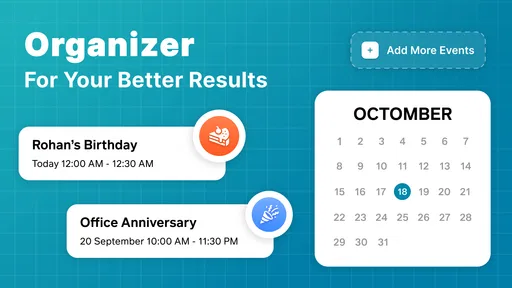
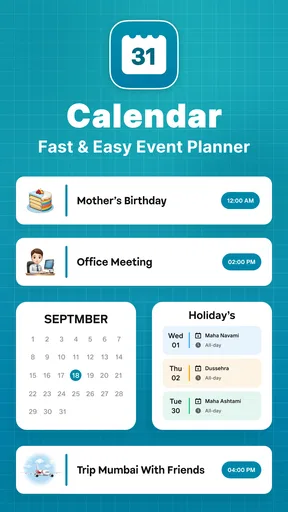
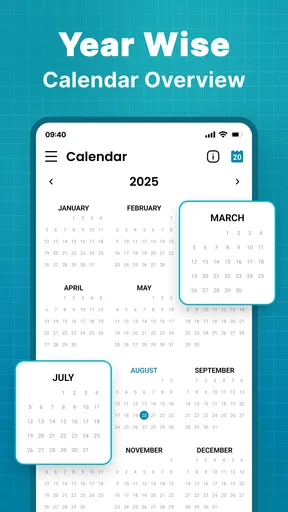
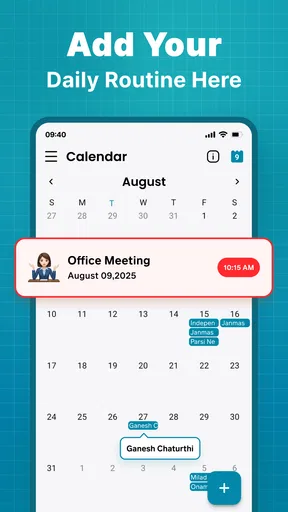
 Analysis by AppCompare
I judge a calendar app less by how many boxes it can tick than by whether I feel comfortable putting the details of my day into it. Appointments can reveal routines, relationships, and where I need to be, so a clean screen is only part of the trust question. With Calendar, I would separate what its familiar purpose suggests from what I can actually verify: the app is presented as a place to manage dates and plans, but that alone does not tell me how information is handled or what account controls are available.
What I look for before adding personal plans
When I try any calendar, I start with the choices it shows me rather than making assumptions based on its name. I check what access the app requests, whether the operating system offers a way to review or change that access, and whether the app explains its account and privacy choices in plain language. Those checks matter especially if I intend to enter private appointments, work details, or a family schedule. I would not treat a calendar entry as private simply because it sits behind an app screen.
That cautious approach is useful even for a basic plan. Before adding sensitive notes, I would first decide what information the appointment actually needs: a short label may be enough where a full description would expose more than necessary. I also make a habit of checking the event details before sharing a screen or handing my phone to someone else. These are practical safeguards I can use regardless of which calendar I choose.
Controls are worth checking in context
Calendar settings can affect the whole experience, but a setting is only reassuring when I understand what it changes. I look for visible controls around notifications, connected accounts, and access to device features, then consider whether each is necessary for the way I plan to use the app. If an option is unclear, I avoid enabling it until I know what it does. The important point is not to assume that a familiar calendar function automatically means a particular permission, sync method, or privacy policy.
I would also review any account or subscription prompts before accepting them. The app is free to download, while optional in-app purchases are listed at prices ranging from $4.99 to $25.99 per item. That gives me a reason to read the purchase screen carefully and distinguish a paid extra from anything I need for my basic routine. I would not enter payment details just to see whether a feature is useful unless the terms and cost are clear to me.
First Impressions
Right off the bat, the Calendar app impressed me with its sleek and intuitive design. Opening the app, you're greeted with a clean interface that doesn't overwhelm you with too much information. I appreciated the minimalist approach, which made navigating through different features a breeze. The color scheme is both modern and visually appealing, which is always a plus.
Features that Stand Out
The app is packed with features that cater to both personal and professional needs. One of my favorites is the ability to sync calendars from multiple accounts. Whether you use Google Calendar, iCloud, or even Outlook, you can have all your events in one place. This feature alone is a game-changer for those who, like me, have to switch between different platforms throughout the day.
Worth Reading Before You Choose

Baby Panda World Brings Quick Play to Modern Phones, but Its Game Library Feels Busy

ESPN’s Live Game View Makes Following Close Games Easier

QuizzLand Review: A Good Fit for Short Trivia Breaks, Not Every Player

Basketball Stars: Multiplayer Is Fast, but Can It Recover When Matches Go Wrong?

WEBTOON Turns Phone Updates Into a Better Reading Routine

Link to Windows Runs on Shared Habits, Not Social Feeds
Another noteworthy feature is the smart scheduling assistant. This nifty tool suggests meeting times based on participants' availability, making it easier to coordinate with colleagues or friends. It’s like having a personal secretary at your fingertips – pretty neat, right?
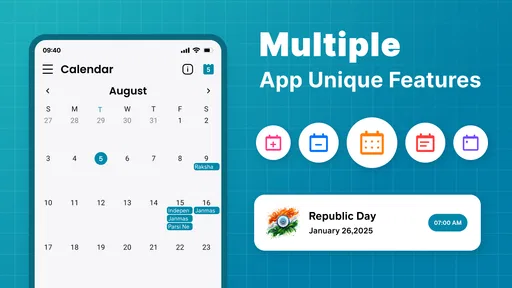
For those who love a bit of customization, the app doesn’t disappoint. You can personalize notifications, choose from a variety of calendar views, and even set different time zones. This level of customization means you can tailor the app to suit your lifestyle perfectly.
Usability and Performance
Now, let’s talk about usability. The app is incredibly user-friendly. Even if you’re not tech-savvy, navigating through the features is straightforward. The drag-and-drop functionality for events is particularly handy when you need to reschedule on the go.
Performance-wise, the app runs smoothly on both Android and iOS. I didn’t experience any lags or crashes, which is crucial when you rely on an app to keep your life organized. Updates are frequent, ensuring that any bugs are quickly squashed and new features are regularly added.
Integration and Connectivity
Integration with other apps is something the Calendar app excels in. It connects seamlessly with productivity tools such as Trello, Slack, and Evernote. This integration allows you to streamline your tasks and keep everything in one place. Plus, with the ability to add video conferencing links directly to events, you can jump into meetings with just a couple of taps.
The app also supports location-based reminders, which are super useful when you have an appointment somewhere specific. Just set a reminder to notify you when you arrive or leave a location, and you’ll never miss a meeting again.
Making the calendar work for a real week
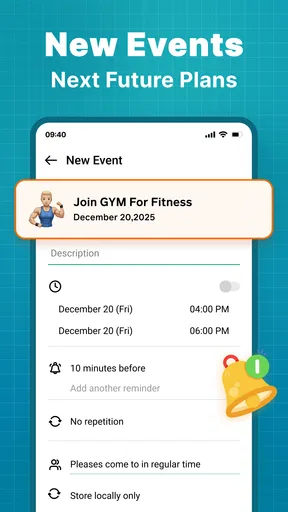
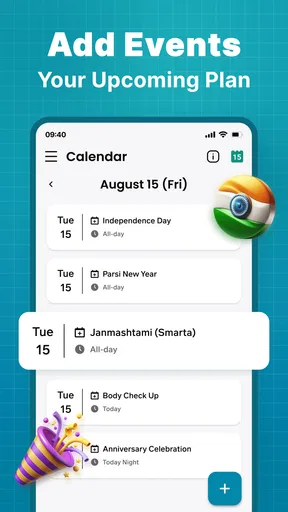
The clearest value here is having several kinds of commitments visible together. Imagine a weekday with a work call, a school pickup, and a birthday reminder competing for attention. A single calendar view can help me spot a clash before I leave home, while a reminder gives me a prompt at the moment I need it. I would keep event titles concise and use the view that makes busy days easiest to scan, rather than filling every entry with notes that are hard to read at a glance.
A useful habit is to review the next few days at a consistent time, such as after dinner. That turns the calendar into a planning tool instead of a place I only visit after missing something. I can check whether an appointment needs travel time, whether two commitments overlap, and whether a reminder should arrive earlier. The practical benefit is not a clever feature by itself; it is building a small routine around the information I have already entered.
For shared scheduling, I would still confirm important changes directly with the other person. A suggested meeting time can speed up the conversation, but it should not replace checking that everyone has agreed. Likewise, if an event involves a sensitive work matter, I would keep the description minimal and use the organization’s approved tools when required. Convenience does not remove the need to follow workplace rules.
Where it fits among calendar choices
Compared with relying only on a phone’s built-in calendar, a dedicated calendar app can be appealing when I want more ways to view and organize plans. The built-in option may remain the simpler choice for someone who only needs a few reminders and prefers not to add another app. At the other end, a work team may need a service tied to its existing accounts, shared calendars, and administration rules; in that case, the employer’s standard tool is usually a safer practical fit than choosing an app for personal preference.
Calendar’s appeal, as described in the app experience, is the combination of schedule management and customization. The trade-off is that extra options can mean more setup and more places to check when something does not appear as expected. If I use several calendars, I would test with a non-sensitive event first, confirm which calendar it lands in, and then verify that the time and alert are correct. That small trial helps avoid a common frustration: assuming an event has been saved in the account or view I intended.
This is a lifestyle app from Calendar Date - Agenda App, and its broad purpose suits people who want personal plans and appointments in one routine. It has an average rating of 4.4 from around 11 thousand ratings, with over a million installs, which suggests many people have tried it; those figures would not, on their own, tell me whether its privacy choices meet my needs. It is free to start, rated for Everyone, and version 4.5 requires Android 8.0 or later. I would still check the purchase and permission screens on my own device before committing to a particular setup.
Who should take a closer look
I can see this being useful for someone who regularly moves between personal and professional commitments and wants a more flexible view than a paper diary provides. It may also suit a household organizer who needs to keep track of birthdays, appointments, and errands without turning every task into a project-management workflow. The best fit is someone willing to spend a little time choosing views and notification habits, then maintain the calendar consistently.
I would steer away if I wanted a bare-bones reminder list, if my workplace requires a specific managed calendar, or if I am unwilling to review account and permission choices. A calendar becomes less dependable when I do not know which account holds an event or when alerts are configured inconsistently. People who need extensive team administration should also compare it with their organization’s established scheduling service before migrating shared work plans.
Before relying on it for an important appointment, I would answer a few questions through use: can I identify the calendar receiving a new event, can I change or remove an alert easily, and do I understand what happens when I connect an account? I would also check how optional purchases are presented and whether the free setup covers my actual routine. These checks are more useful than assuming every feature is necessary from the start.
Final Thoughts
In conclusion, the Calendar app is a robust tool that caters to a wide range of organizational needs. Whether you're managing a hectic work schedule or just trying to keep track of personal appointments, this app has got you covered. It's user-friendly, feature-rich, and integrates well with other tools, making it a must-have for anyone looking to boost their productivity.
So, if you're on the hunt for a reliable calendar app, give this one a shot. It might just become your new favorite organizational companion!
A cautious recommendation
My recommendation is to try it with ordinary, low-sensitivity plans first and see whether its layout and controls suit the way you already organize your week. If it feels clear, you can gradually add more of your routine; if account handling, costs, or permissions do not feel transparent to you, stop and choose a simpler option. A calendar earns my trust through understandable choices and dependable personal habits, not through a polished interface alone.
Pros
- Intuitive user interface for easy navigation.
- Seamless integration with other apps.
- Customizable reminders and notifications.
- Supports multiple calendar views.
- Syncs effortlessly across devices.
Cons
- Limited theme customization options.
- Requires internet for full functionality.
- No advanced scheduling features.
- Occasional sync delays reported.
- Ads in free version can be distracting.
FAQs for Calendar
What features does the Calendar app offer?
The Calendar app provides a variety of features, including event scheduling, reminders, and integration with other apps like email and task managers. It also offers customizable views such as daily, weekly, or monthly layouts. Users can sync across devices and share calendars with others for collaborative planning.
Is the Calendar app free to use, or does it require a subscription?
The Calendar app is free to download and use for basic features. However, it may offer in-app purchases or subscription plans for premium features like advanced analytics, additional customization options, or integration with third-party services. Be sure to check the app store listing for detailed pricing information.
Can I sync the Calendar app with other digital calendars?
Yes, the Calendar app typically supports syncing with other digital calendars, such as Google Calendar, Apple Calendar, and Microsoft Outlook. This allows for seamless integration and ensures that all your events and reminders are up-to-date across different platforms and devices.
How secure is my data in the Calendar app?
The Calendar app is designed with user privacy in mind, employing encryption and secure data storage practices. However, it's essential to review the app's privacy policy to understand how your data is used and protected. Ensure that you have enabled any available security features, such as two-factor authentication.
Does the Calendar app work offline, and what are its offline capabilities?
The Calendar app typically offers offline functionalities, allowing you to view and edit your existing events without an internet connection. Once you reconnect, any changes made offline will sync automatically. However, features like syncing new events from other digital calendars or accessing shared calendars may require an active internet connection.


